
One of the highlights of attending the 2010 Unicode Conference was listening to Richard Sites explain how he developed Google’s statistical language detection algorithm.
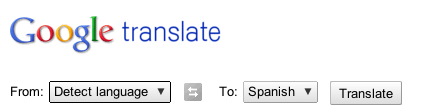
You may have already used this algorithm as part of Google Translate:
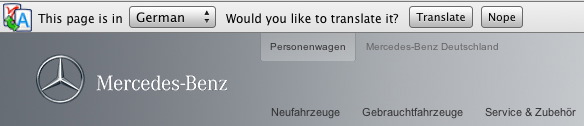
The feature is also embedded into Google’s Chrome browser. If Chrome detects a web page in a language other than your browser’s default language, it will ask you (as shown below) if you’d like the past translated (assuming Google supports the translation).
The tool works by scanning a chunk of text and then segmenting and analyzing four-character “tokens.” These tokens are compared against a very large table of reference tokens that have language properties associated with them. If you’ve played with this feature on Google Translate, you’ll notice that the accuracy of the algorithm improves as you add text.
Richard set out to create a tool that would identify 180 languages across 57 scripts. The hard part was in creating this reference table of tokens. It required analyzing millions of words of source text of each language, which isn’t so easy when you consider that some of these languages just aren’t represented that well on the Internet. Even Wikipedia came up short for many languages (it supports more than 170 languages, but not all of these languages have much in the way of content).
Now you may think that the detection tool could also look at the HTML lang tag or the character encoding of the web page to come up with its answer. But as Richard noted, roughly 5% of all web pages specify an incorrect text encoding. Even Wikipedia incorrectly labels languages on occasion. To further complicate matters, between 5% and 10% of all web pages include more than one language.
If you’re into learning more, you can take a look at the code itself — the Chrome branch is open sourced here.
A few notes from Richard’s talk:
- Other sources of language data used to fine-tune the algorithm included the BBC and Watchtower.org — the web site of the Jehovah’s Witnesses.
- This algorithm was developed as a 20% project. Which makes me wonder what the heck Richard is doing with the other 80% of his time.
- The reason Chrome only covers 52 languages is that the application needs to be compact — for fast downloading. Each additional language requires additional reference tables.
- There are some language pairs that still pose challenges to the algorithm (because the languages themselves are so closely related). Challenging pairs include, among others, Indonesian and Malay, Czech and Slovak, and Bosnian and Croatian.
- In 2008, English made up 42% of all web content (I would bet it’s under 40% today).
- Also as of 2008, 47 languages covered roughly 99% of all web content.
1 thought on “Inside Google’s language detection tool”
Comments are closed.